Sunday, April 1, 2018

Google Maps testing slightly-rounded navigation UI

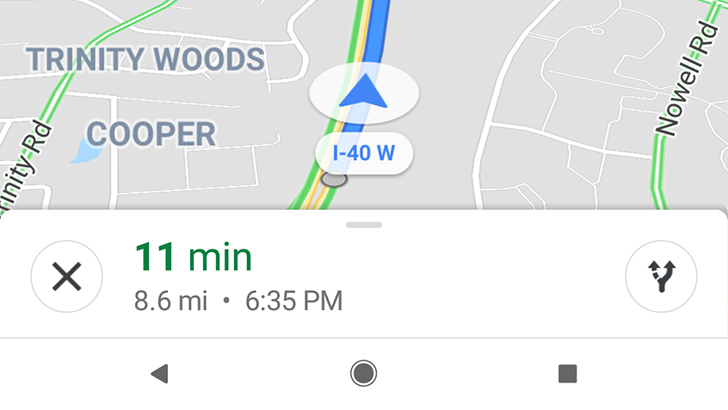
The design language in Google's apps is constantly evolving, and lately the company has started to introduce more rounded elements in popular apps, like Chrome for Android and mobile web search. The next app to be round-ified might be Maps, as some users are seeing a slightly-tweaked interface during navigation.


Left: Current UI; Right: New rounded UI

The new look adds circles around the close, directions, and voice buttons.

Read More

Google Maps testing slightly-rounded navigation UI was written by the awesome team at Android Police.


from Android Police – Android news, reviews, apps, games, phones, tablets https://ift.tt/2pV33gB
via IFTTT

[Continuously Updated] 2018 April Fools' Roundup: All the jokes from around the web

April Fools' day is almost upon us, but each year at least a few companies are unable to restrain themselves, pushing out their pranks early. Google's various divisions do a decent job each year. Last year's Google Gnome was a pretty good one, and the Maps team's 2014 Pokemon prank was a memorable one. OnePlus even does a good job.

It can be tough keeping track, though, so let us handle the work while you enjoy the jokes.

Read More

[Continuously Updated] 2018 April Fools' Roundup: All the jokes from around the web was written by the awesome team at Android Police.


from Android Police – Android news, reviews, apps, games, phones, tablets https://ift.tt/2Ebrf2H
via IFTTT

Moto G6 and G6 Play pegged for mid-May US availability, FCC details reveal specs for Z3 Play

If you're champing at the bit to know when the Moto G6 and G6 Play will be available, it's looking like mid-May is a good bet — at least in the US. Someone at American retailer Fry's Electronics appeared to pull the trigger a little early by posting the G6 and G6 Play (no G6 Plus) on its website for pre-orders. Those pages have since been pulled down, but we saved them for posterity.

Read More

Moto G6 and G6 Play pegged for mid-May US availability, FCC details reveal specs for Z3 Play was written by the awesome team at Android Police.


from Android Police – Android news, reviews, apps, games, phones, tablets https://ift.tt/2JaWJK7
via IFTTT

From the Editor's Desk: Display notches are fine, but companies are doing a horrible job justifying them

Proper messaging is half the battle.

It was all foreshadowed last year by the Essential Phone, and kicked into the public consciousness with the iPhone X. The notches are here to stay, and 2018 will be the year where notched displays are the norm rather the exception.

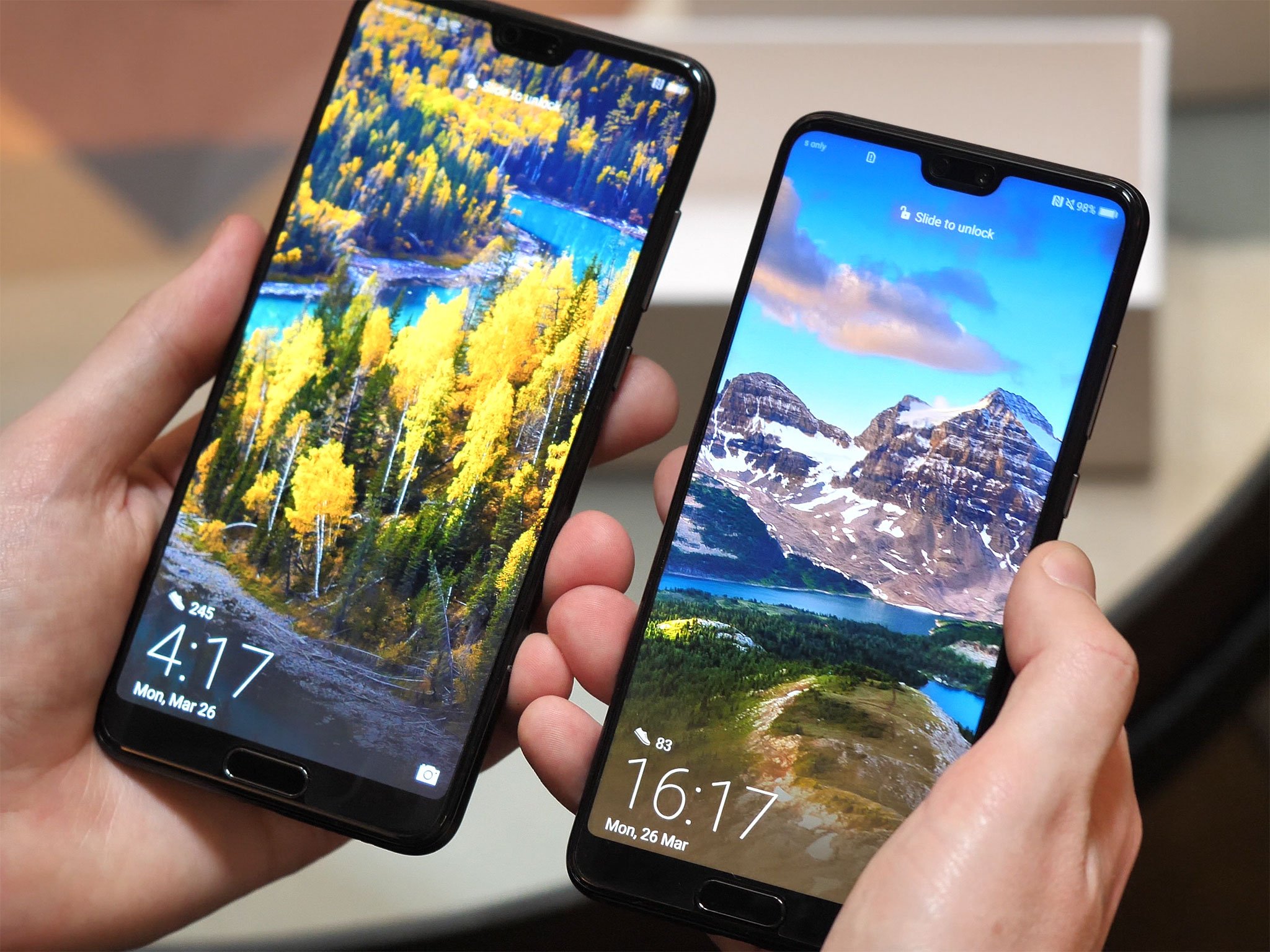
ASUS cringingly revealed its ZenFone 5 back at MWC. The new Huawei P20 and P20 Pro have notches on two different display aspect ratios. OnePlus chose to straight-up pre-announce that the OnePlus 6 will have a notch before it unveiled the phone. It's all but confirmed that LG's 2018 flagship will have the same.

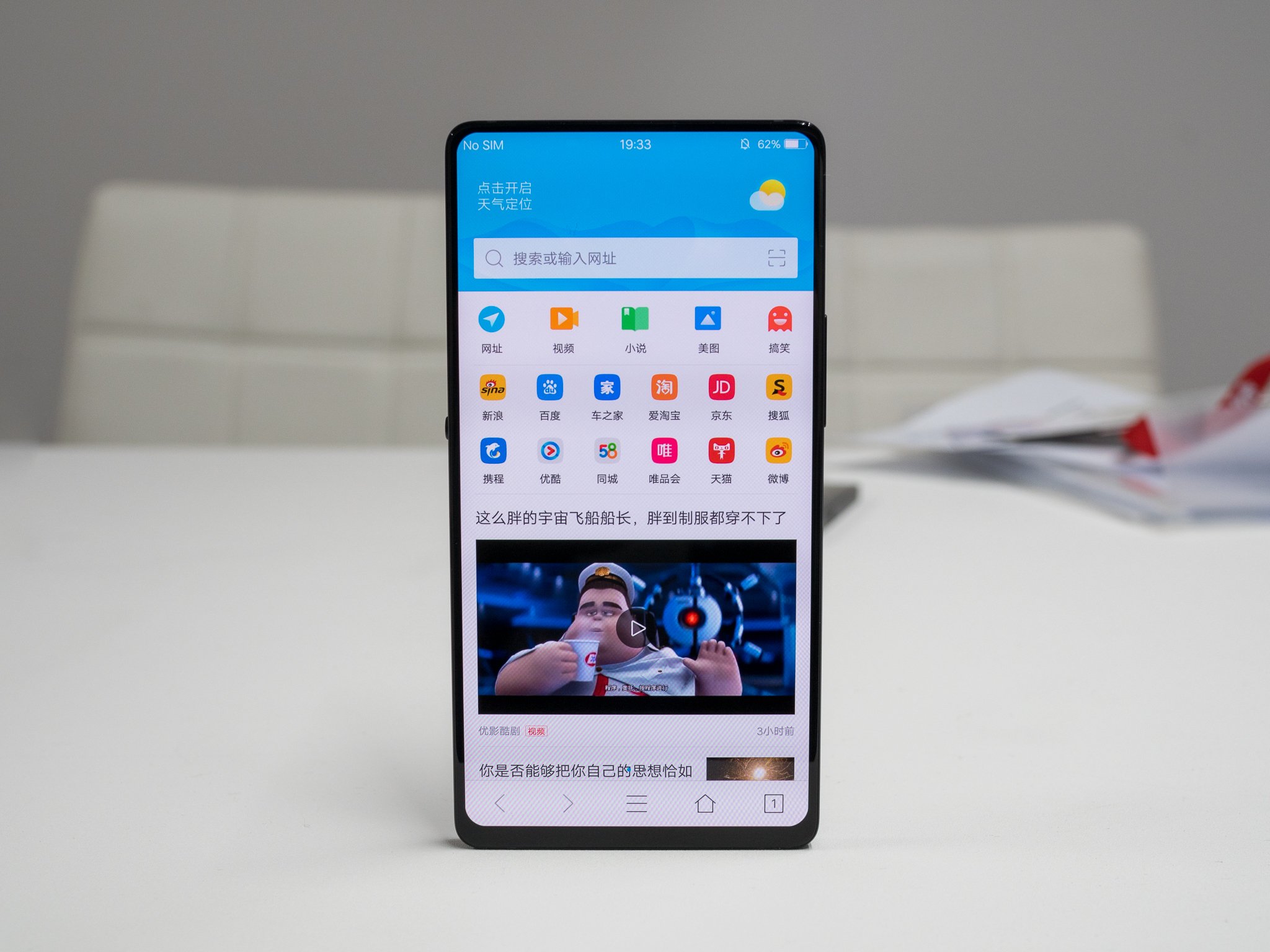
Notches are happening, that's just how it is. They won't be here forever, as technology will soon get to the point where we can have "full screen" smartphones without the crutch of a notched portion, but for the next couple generations it's something we'll have to get used to. And I'm all for it — it's just a step along the steady march of innovation. My biggest issue with phones that have display notches right now is that very few companies are doing a good job (or any job, in many cases) of justifying the notch's existence on their phone.

ASUS showed us exactly what not to do with the announcement of the ZenFone 5, first making the notch bigger than it needs to be to hold the sensors and cameras, then unabashedly saying it copied Apple for the design with no further justification. Huawei didn't make any big justification of it one way or the other with the P20, but to its credit at least kept the width down to just what was necessary to hold the components inside and also added an easy way to fill in the portions of the screen next to the notch if you want a flat top edge. OnePlus has done the best job yet, and the OnePlus 6 isn't even official — the CEO explains simply that by having a notch, you're going to get more screen in the same package and the software will handle any potentially awkward app situations just fine. Look, it's possible to handle this properly!

People clearly have a fear of the notch. Each time a phone is leaked or unveiled with one, the phone-buying public gets upset. They think that adding a notch is removing usable display space, but actually it's at worse a break-even proposition and in many cases an addition of usable space. People don't really "get" notches yet, and even though we have many phones with them there are still plenty without, so it's the company's job to explain why they included a notch on their phone and why we should be okay with it. Far too often it's been a sort of "well everyone else is doing it" unspoken justification, and there's far more to it than that.

It's a tough line to walk. Adding a notch is not a decision that comes without downsides. There are trade offs here, but if you look at notches objectively it's a net positive — and it's something that won't be here forever. Companies just need to be smart about this and do a better job of explaining the "why" part as we make this transition. So far, few have done a good job.

Let's wrap it up with a few other random thoughts from the week:

  • Catching a lot of hate, per usual, on my latest editorial talking about how I use the Galaxy S9+ despite its software, not because of it.
  • A lot of people got the point, though: the Galaxy S9 is still a great phone, and Samsung's software is manageable, but it has to be managed to be useful and that's a bad thing.
  • Samsung's hardly alone in this respect, as Huawei and LG and others face similar issues. But Samsung is front-of-mind right now with the Galaxy S9 launch.
  • I decided to charge up and use my Pixel Buds the other day. They paired up with the Galaxy S9+ just fine and I'm reminded of how many good aspects they have. Still not a fan of the charging case and the touch controls can be finicky, though.

Have a fantastic Easter weekend, everyone!

-Andrew


from Android Central - Android Forums, News, Reviews, Help and Android Wallpapers https://ift.tt/2IjVmHz
via IFTTT

YouTube notifications now include video thumbnails for some

If you have notifications enabled for a certain YouTube channel, you may have noticed the notifications don't provide much info. In fact, they only display the title of the video and what channel it came from. This appears to finally be changing, as some users are seeing notifications with the video thumbnail.

The first notification in the above screenshot has the new style, with the video thumbnail prominently featured on the right.

Read More

YouTube notifications now include video thumbnails for some was written by the awesome team at Android Police.


from Android Police – Android news, reviews, apps, games, phones, tablets https://ift.tt/2JafPA1
via IFTTT

[Deal Alert] Huawei Mate 10 Pro down to $649.99 at various retailers ($150 off)

Shortly after coming to the U.S., the Huawei Mate 10 Pro is already seeing a nice discount. You can pick up this phone for $649.99, $150 off MSRP, from Amazon, B&H, Best Buy, and Newegg. Honestly, this is a great deal.

Both Ryan and I reviewed the Mate 10 Pro, so be sure to check out our thoughts on it. Basically, we both came away with the consensus that this is a very good phone.

Read More

[Deal Alert] Huawei Mate 10 Pro down to $649.99 at various retailers ($150 off) was written by the awesome team at Android Police.


from Android Police – Android news, reviews, apps, games, phones, tablets https://ift.tt/2pV9oYT
via IFTTT

How to add a smart thermostat on a budget

Want a smart thermostat but don't wanna pay through the nose? You have options!

A smart thermostat isn't just fun to have; it's a power-smart move that can end up saving you money in the long run. Forgot to turn down the heat before leaving for the day? Use your thermostat's app and turn it down from wherever you have an internet connection. Want an easier way to program your week than pressing and holding two buttons simultaneously, then releasing, then pressing and holding, then pressing up, up, down, down, left, right, left, right, B, A? Yup, you can do it in a visually pleasing and easy-to-use app (usually).

Many smart thermostats even go so far as to learn your programming habits, potentially saving you big bucks during particularly use-heavy seasons (like winter here in Winnipeg!).

That being said, smart thermostats can be hella expensive (upwards of $300). So if you're on a budget, here are some options to help make your thermostat a part of your connected home.

ecobee3 lite

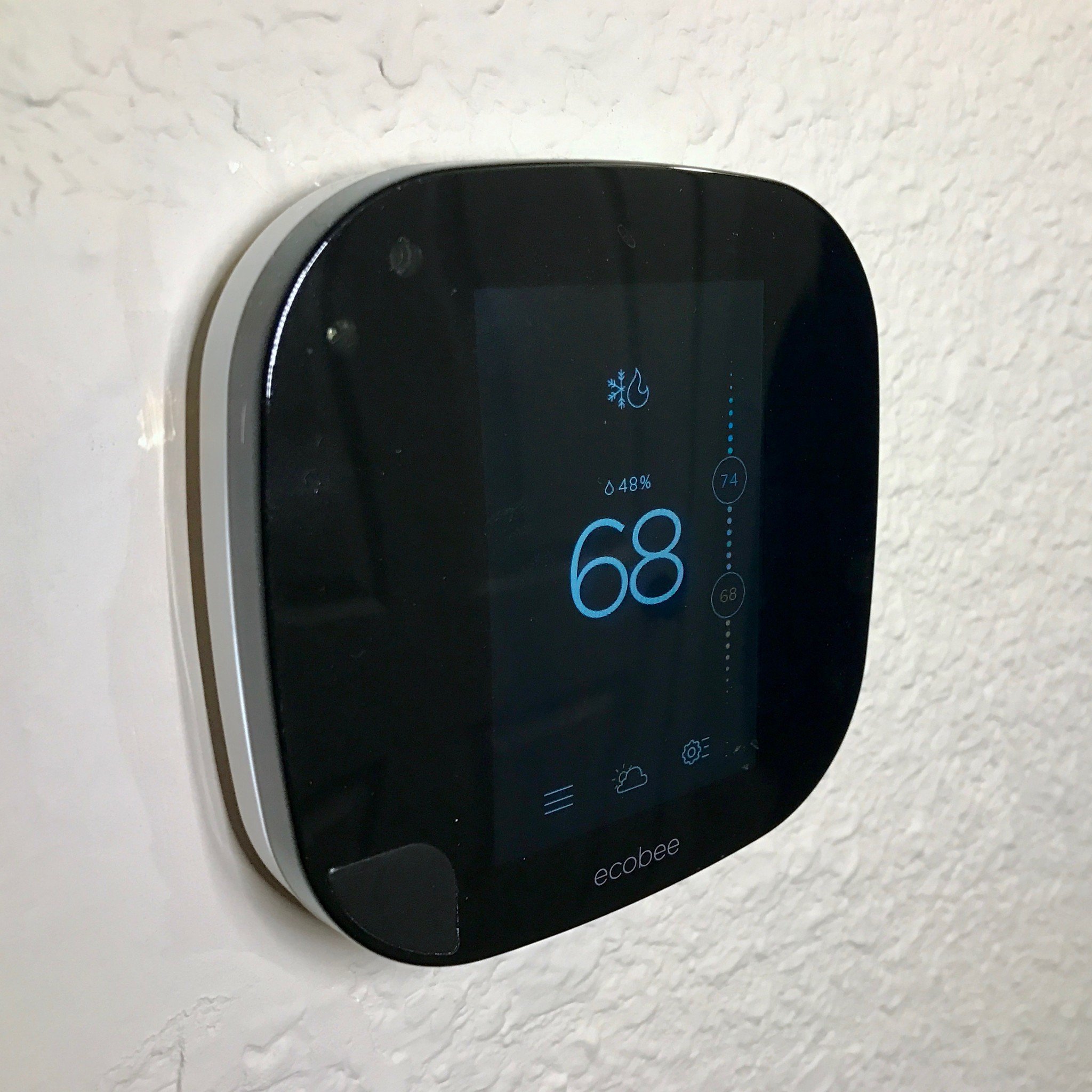
ecobee's 3 lite thermostat is only about $169 in Amazon now (the ecobee4 is out now, so previous generations have come down in price). The lite is Amazon Echo-compatible and HomeKit-enabled, so you can control it from anywhere, on any device. You can even pair it with room sensors for maximum home climate control.

ecobee3 lite uses your local weather information and your home heating and cooling system in order to expediently heat or cool your home, and it features a vacation mode, so you can keep energy use to a minimum. As mentioned, the thermostat alone is $169, but you can grab it with an Amazon Echo Dot for only $204 and save $15 on the Dot.

See at Amazon

Honeywell Wi-Fi programmable thermostat

This is one of the least expensive smart thermostats around (around $82 on Amazon), and while it doesn't have all the bells and whistles of a Nest or ecobee, it'll get the job done if you simply want to be able to program your week and control your home cooling and heating from anywhere you can get Wi-Fi. Thermostat Center even said it's the best budget Wi-Fi thermostat.

You can use this one with single- or multi-stage systems, and the back-lit display is a nice touch. Just note that this one isn't battery-operated, so you'll need to wire it in, and it does require a C-wire.

See at Amazon

Emerson Sensi

The Emerson Sensi is a little more expensive than the Honeywell, at $145, but it's incredibly well-reviewed on Amazon and is Smart Thermostat Guide's number two pick for best Wi-Fi thermostat (after our own favorite, the ecobee 3!). It was also ranked number one in the latest J.D. Power Report for customer satisfaction.

The Sensi has (for the most part) the same feature set as many of the more expensive smart thermostats, which includes Alexa integration. So if you already blew your dough on an Amazon Echo, save on the smart thermostat, but go with a quality one like the Sensi.

See at Amazon

Lux Geo

We'll throw in the Lux Geo as well, since Smart Thermostat Guide recommends it, because it works with out a C-wire — batteries, baby! It doesn't have Alexa integration nor does it support IFTTT, but if battery-operated is what you're after, this is your best budget option (around $95 for the white one).

For an extra $50, the Emerson Sensi is definitely worth it over the Lux, but again, batteries.

See at Amazon

Rebates!!!

If you don't want a budget smart thermostat or you do and you just want to save even more moolah, talk to your gas/electric company about rebates and incentives. Power companies love smart thermostats because they put you in full control of your home heating and cooling, thus (hopefully) making your home more energy-efficient. You may therefore receive a little money back on your investment, or your power company may cover it in full.

ecobee might have one of the more expensive smart thermostats, but it also happens to be the best, and ecobee's website has a handy rebate finder that lets you put in your ZIP or postal code to find out if there are rebate options where you live.

Do you have a smart thermostat?

Are you thinking of picking up a smart thermostat or do you have one already? Did you qualify for a rebate? Is it saving you money? Let us know in the comments below!


from Android Central - Android Forums, News, Reviews, Help and Android Wallpapers https://ift.tt/2uCgRBz
via IFTTT