Sunday, July 1, 2018

Bixby guide: Features, compatible devices, best commands

Samsung Bixby on Samsung smartphone

The Samsung Bixby digital assistant lets you control your smartphone with voice commands. You can open apps, check the weather, play music, turn on Bluetooth, and much more. You'll find everything you need to know about Google Assistant's biggest rival below, including how to access it, the features it offers, and which devices it's available on.

Which devices and languages does Samsung Bixby support?

Unlike Google Assistant, Samsung Bixby is exclusive to Samsung devices. It debuted on the Galaxy S8 series and is also available on the Galaxy S9, S9 Plus, and Galaxy Note 8. You'll also find the digital assistant on the Galaxy Note FE and the South Korean variant of the Galaxy A7 (2017). However, these two devices don't sport a dedicated Bixby button. Bixby on the Galaxy A7 is also very limited, as it lacks voice control.

Bixby-powered smart speakers, TVs, and other products are expected to launch this year.

In addition to smartphones, Bixby runs on Samsung's Family Hub 2.0 refrigerators and a couple of other devices. The digital assistant is expected to come to a lot more products this year, including smart speakers and TVs.

Bixby understands English, Korean, and Mandarin. For comparison, Assistant supports 11 languages, expected to reach 30 by the end of the year.

What can Samsung Bixby do?

Samsung Bixby, Bixby Home

Bixby Voice

There are three parts to Samsung's digital assistant: Bixby Voice, Bixby Vision, and Bixby Home. The most interesting and useful one is Bixby Voice, which lets you use voice commands to get stuff done. It works with all Samsung apps and a few third-party apps, including Instagram, Gmail, Facebook, and YouTube.

With Samsung Bixby Voice, you can send text messages, check sports scores, turn down the screen brightness, check your calendar, launch apps, and more. The digital assistant can also read out your latest messages and can be customized to speak in a male or female voice. The feature can also handle more complicated two-step actions like creating an album with your vacation photos and sharing it with a friend. According to Samsung, the digital assistant supports more than 3,000 voice commands. This means that anything you can do via touch on your Samsung phone, you can probably do with your voice.

Bixby Voice also supports quick commands, allowing you to perform multiple actions with a single phrase. Instead of telling Bixby to open the camera app, change the mode to super slow-mo, and start recording, you can pre-program all these steps as a quick command and launch it by saying "slow-mo."

Samsung Bixby, Bixby Voice

Bixby Vision 

The second part of the digital assistant is Samsung Bixby Vision, which is basically Samsung's version of Google Lens. The feature is built into the camera and gives you relevant info depending on what you're pointing it at. There are eight modes to choose from:

  • Place — Point the camera at a place or landmark and Bixby will tell you what it is and provide some additional info like opening hours.
  • Shopping — When you come across an interesting item like a chair, Bixby can help you buy it. Point the camera at the item you're interested in and the digital assistant will direct you to an online retailer selling it (or similar products).
  • Text — Translate foreign languages (signs, restaurants menus, and more) and convert words on paper documents into editable text.
  • Food — Check how many calories are in your food and its nutrition facts.
  • QR Codes — Quickly scan QR codes without having to open a separate app.
  • Wine — Scan a wine label to check out online reviews and see what food it goes best with.
  • Image — Find similar images to the ones you've taken.
  • Makeup — Try on makeup virtually and buy the products you're interested in.

Some modes, like Makeup and Shopping, are specific to certain regions, so they might not show up on your device. They don't all work brilliantly, either. Our very own Jimmy Westenberg tested out Bixby Vision on a Galaxy S9 and ran into a few problems. The Food mode worked half the time, and the translation option wasn't great either — so just don't expect everything to work exactly as advertised. Given time, the service will improve, but it can only do so if users are providing the algorithms with the data it needs to get better.

Samsung Bixby, Bixby Home

Bixby Home

The last part of Samsung's digital assistant is Bixby Home, which lives on your home screen. It's similar to Google Feed and HTC Blinkfeed, showing social media updates, trending YouTube videos, the weather forecast, reminders, and so on. You can customize it to only display the info you're interested in. You can also change the order of the Bixby Home cards by moving the ones that matter to you most to the top.

How to access Samsung Bixby

Let's start with Samsung Bixby Home. You can access it by pressing the dedicated Bixby button on the left side of a device that has one or by swiping right on your home screen on any phone that supports Bixby. If you keep pressing the button by accident, you can disable it — but you can't remap it to something else like Assistant.

Read next: How to disable Bixby on the Galaxy S9

The same button that launches Samsung Bixby Home can also launch Bixby Voice. Press and hold it, say your command, and then release it. It's similar to using a walkie-talkie. Alternatively, you can activate it by saying, "Hi Bixby," but you have to enable this ability first by launching Bixby Home and going to More Options > Settings > Voice wake-up.

The easiest way to launch Bixby Vision is to open the camera app and tap the Vision icon in the viewfinder. You can also bring up Bixby Voice and say, "Open Bixby vision."

What commands does Samsung Bixby understand?

Samsung Bixby, Bixby Voice

Samsung Bixby understands thousands of commands. We won't list them all in this post, but here are some of the more useful ones:

Calls and texts

  • Hi Bixby, call Andy.
  • Hi Bixby, video call Paul.
  • Hi Bixby, send a text to Adam.
  • Hi Bixby, show recent call history with Jimmy.
  • Hi Bixby, show Andrew's contact information.
  • Hi Bixby, call the most recent number.
  • Hi Bixby, show missed calls.
  • Hi Bixby, show the call duration until now.
  • Hi Bixby, block the last number called.
  • Hi Bixby, add the last number called as a new contact.
  • Hi Bixby, delete all missed calls.
  • Hi Bixby, add John to speed dial 2.
  • Hi Bixby, show me the Contacts tab.
  • Hi Bixby, move all my contacts to Secure Folder.
  • Hi Bixby, show Quick decline messages.

Camera

  • Hi Bixby, open Camera.
  • Hi Bixby, change camera mode to panorama.
  • Hi Bixby, take a picture in panorama mode.
  • Hi Bixby, take a picture.
  • Hi Bixby, record a video.
  • Hi Bixby, turn on the front camera.
  • Hi Bixby, turn on flash.
  • Hi Bixby, turn on HDR.
  • Hi Bixby, show me pictures.
  • Hi Bixby, apply deep filter.
  • Hi Bixby, turn on Tracking AF for the rear camera.
  • Hi Bixby, change Grid lines to 3 by 3.
  • Hi Bixby, take a picture and share it.
  • Hi Bixby, adjust the shutter speed of Pro mode.
  • Hi Bixby, select 10 seconds for Timer and take a picture.

Messages

  • Hi Bixby, open Messages.
  • Hi Bixby, show me the most recent message.
  • Hi Bixby, pin the conversation with the most recently received text.
  • Hi Bixby, forward the most recent text to David.
  • Hi Bixby, share the most recent text.
  • Hi Bixby, delete the most recent text.
  • Hi Bixby, show me the texts I received today.
  • Hi Bixby, read me the texts I received today.
  • Hi Bixby, search texts with the keyword Adam.
  • Hi Bixby, send a text that I'll be late in the conversation with Jimmy.
  • Hi Bixby, delete the text that says See you.
  • Hi Bixby, take a picture and send it to the conversation with John.
  • Hi Bixby, send Jane's contact info to Andrew.
  • Hi Bixby, delete all message drafts.
  • Hi Bixby, set message font size to the maximum.

Reminders

  • Hi Bixby, remind me to take medicine at 3 pm.
  • Hi Bixby, show me my most recent reminder.
  • Hi Bixby, show me my completed reminders.
  • Hi Bixby, delete all of my reminders.
  • Hi Bixby, set all of my reminders as completed.
  • Hi Bixby, change the color of my most recent reminder to blue.
  • Hi Bixby, add my most recent picture to the most recent reminder.
  • Hi Bixby, complete this reminder.
  • Hi Bixby, save my parking location.
  • Hi Bixby, delete the Shopping reminder.

YouTube

  • Hi Bixby, open YouTube.
  • Hi Bixby, show me the videos trending.
  • Hi Bixby, show me my subscriptions.
  • Hi Bixby, show me all channels I've subscribed to.
  • Hi Bixby, record a video and upload it.
  • Hi Bixby, search for Android Authority.
  • Hi Bixby, add this video to my favorites.
  • Hi Bixby, connect to my TV.

When is version 2.0 coming?

Samsung Bixby, Bixby Vision

In October 2017, Samsung announced Bixby 2.0, an upgraded version of its digital assistant, but it's not available yet. The latest rumor suggests it will debut on the Galaxy Note 9, which Samsung will likely announce in August, although nothing has been confirmed yet.
Editor's Pick

According to Samsung, the new version of Bixby will be a "fundamental leap forward for digital assistants." It will be more personal and feature enhanced natural language capabilities for more natural commands and complex processing. More importantly, it will be available on a lot more devices. Samsung plans on introducing Bixby-powered TVs, smart speakers, and tons of other home appliances.

What's more, Bixby 2.0 will be open, allowing other developers to use it in their products. The tech giant has already launched a private beta program, making the Bixby SDK available to select developers. It will be available to all developers eventually, but there's no word on when.


Bixby looks promising on paper, but still doesn't always work as advertised. It didn't have the smoothest rollout, but it has improved significantly since its debut. Overall, Google Assistant is still the superior option in my opinion, although things could change with the official launch of Bixby 2.0.

Any thoughts or comments? Leave them down below in the comment section.


from Android Authority https://ift.tt/2tUC2eu
via IFTTT

Android P update tracker: Here are all the phones that run Android P

android 9.0 update

The next major version of Android, Android 9.0, is slated to arrive sometime in Q3 2018. Before that, you can actually test out a beta build of the software if you have a compatible smartphone.

Below, we'll detail everything you need to know about the Android P update schedule, which devices are compatible with Android P, how to install Android P updates, and more.

List of compatible devices

Android beta releases have traditionally only been available for Google's Pixel and Nexus phones, but that changed this year with Project Treble. Now the Android P beta is available for all of Google's recent Pixel phones as well as 11 phones from other OEMs. The full list can be found below:

In addition, Nokia recently brought the Android P update (beta) to three of its other phones: the Nokia 6.1, Nokia 7, and Nokia 8 Sirocco, though only in China. The beta test is quite small too, so odds are you won't be able to test the Android P update on these phones unless Nokia opens up more slots.

How to install Android P on your phone

There isn't one catch-all method for installing the Android P update on your phone — it all depends on which phone you have. Luckily we have a handy guide for you!

Don't miss: How to install Android P beta: A step-by-step guide

The easiest way to install Android P is to enroll in the Android Beta Program. After just a few clicks, you'll receive a software update on your phone to upgrade you to the latest Android P beta release. You'll need a Pixel phone to enroll in the beta program though.

If you own another phone, you'll want to check out the related guides below:

Current Android P builds for each device

We're currently on the third Android P developer preview (beta 2), but there's no guarantee all the devices listed here will receive every beta update. Take a look at the list below to see which Android P update beta releases are compatible with each phone.

Google Pixel, Pixel XL, Pixel 2, and Pixel 2 XL

All four of Google's Pixel phones can run the third Android P developer preview (beta 2). Since these are Google phones, they'll continue to get new Android P builds first when they're announced.

Essential Phone

Essential rolled out the second Android P developer preview (beta 1) to the Essential Phone. Check out our hands-on article to learn more.

Nokia 7 Plus

The Nokia 7 Plus currently runs the third Android P developer preview (beta 2). HMD Global was quick to release this new build after it accidentally rolled out a phone-breaking update to Nokia 7 Plus users' devices.

OnePlus 6

OnePlus has rolled out the third Android P developer preview (beta 2) to the OnePlus 6. That's a good thing too, as the first developer preview rendered our OnePlus 6 pretty useless.

Oppo R15 Pro

We haven't heard any updates from Oppo about new beta builds, so we can assume the R15 Pro currently runs the second Android P developer preview (beta 1).

Sony Xperia XZ2

The third Android P developer preview (beta 2) is available for the Xperia XZ2. Find out more about Android P on the XZ2 in our hands-on post.

Vivo X21 and X21UD

The Vivo X21 and X21UD currently run the second Android P preview (beta 1).

Xiaomi Mi Mix 2S

Xiaomi has been quiet about releasing new beta builds for the Mi Mix 2S, so we should assume it's running the second Android P preview (beta 1).

Android P update release date and timeline

Google released the first Android P developer preview on March 7, 2018. Following that alpha release, Google revealed the first Android P beta build (developer preview 2) at Google I/O 2018 on May 8, also announcing other OEM devices would be compatible with the Android P beta.

Finally, the third Android P preview (beta 2) released June 6, 2018. This build featured the final APIs and official SDK. You can see an overview of what each build will bring below:

  • Preview 1 (initial release, alpha)
  • Preview 2 (incremental update, beta)
  • Preview 3 (final APIs and official SDK, Play publishing, beta)
  • Preview 4 (release candidate for testing)
  • Preview 5 (release candidate for final testing)
  • Final release to AOSP and ecosystem

As you can see from Google's timeline, the fourth developer preview should arrive at the end of June, and the fifth should arrive at the end of July. The final Android P update release will come sometime at the beginning of Q3 2018.


That's everything we know about the Android P update so far. Did we miss anything? Sound off in the comments!

Next: How stable is the third Android P developer preview?


from Android Authority https://ift.tt/2NeO5fE
via IFTTT

Instagram adds ability to ask questions in Stories

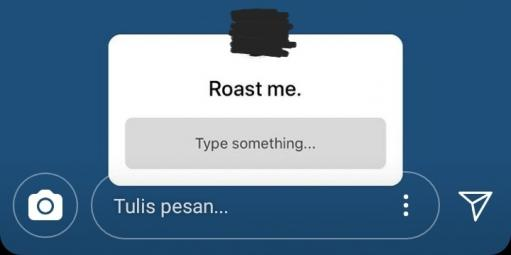
It seems like Instagram is in the news every other day. Highlights include its new Lite and IGTV apps, though there are several Instagram app tweaks sprinkled all throughout. Now, the Facebook-owned company has added the ability to ask questions in its Stories, a feature I'm surprised wasn't already there.

There are already yes/no polls and emoji sliders (yes, that's a thing) that can be used with questions; the new aspect here is open-ended questions.

Read More

Instagram adds ability to ask questions in Stories was written by the awesome team at Android Police.


from Android Police – Android news, reviews, apps, games, phones, tablets https://ift.tt/2NeErtx
via IFTTT

Spotify Lite is a 15MB app that's missing a lot of major functionality [APK Download]

These days, a lot of popular apps have lite versions. Facebook, Facebook Messenger, Instagram, and even Uber now have tiny versions of their main apps, and Spotify is the latest to join in on the fun. Unfortunately, its implementation isn't exactly the greatest, with a lot of crucial features from the main app missing.

Drake somehow got his face onto every playlist's art.

Spotify Lite seemed promising upon first glance.

Read More

Spotify Lite is a 15MB app that's missing a lot of major functionality [APK Download] was written by the awesome team at Android Police.


from Android Police – Android news, reviews, apps, games, phones, tablets https://ift.tt/2NfHYaH
via IFTTT

Saturday, June 30, 2018

2018 Galaxy J3 and J7 now available on Verizon, Sprint, and Boost Mobile

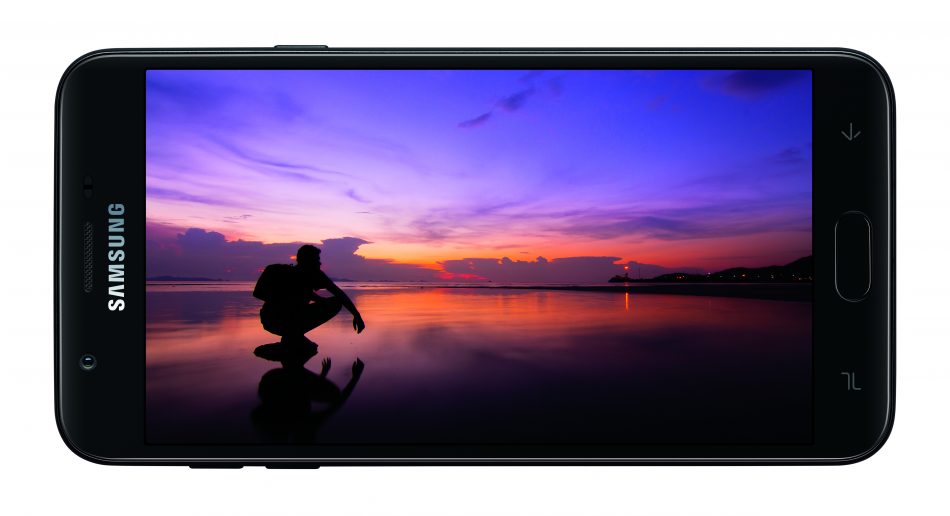
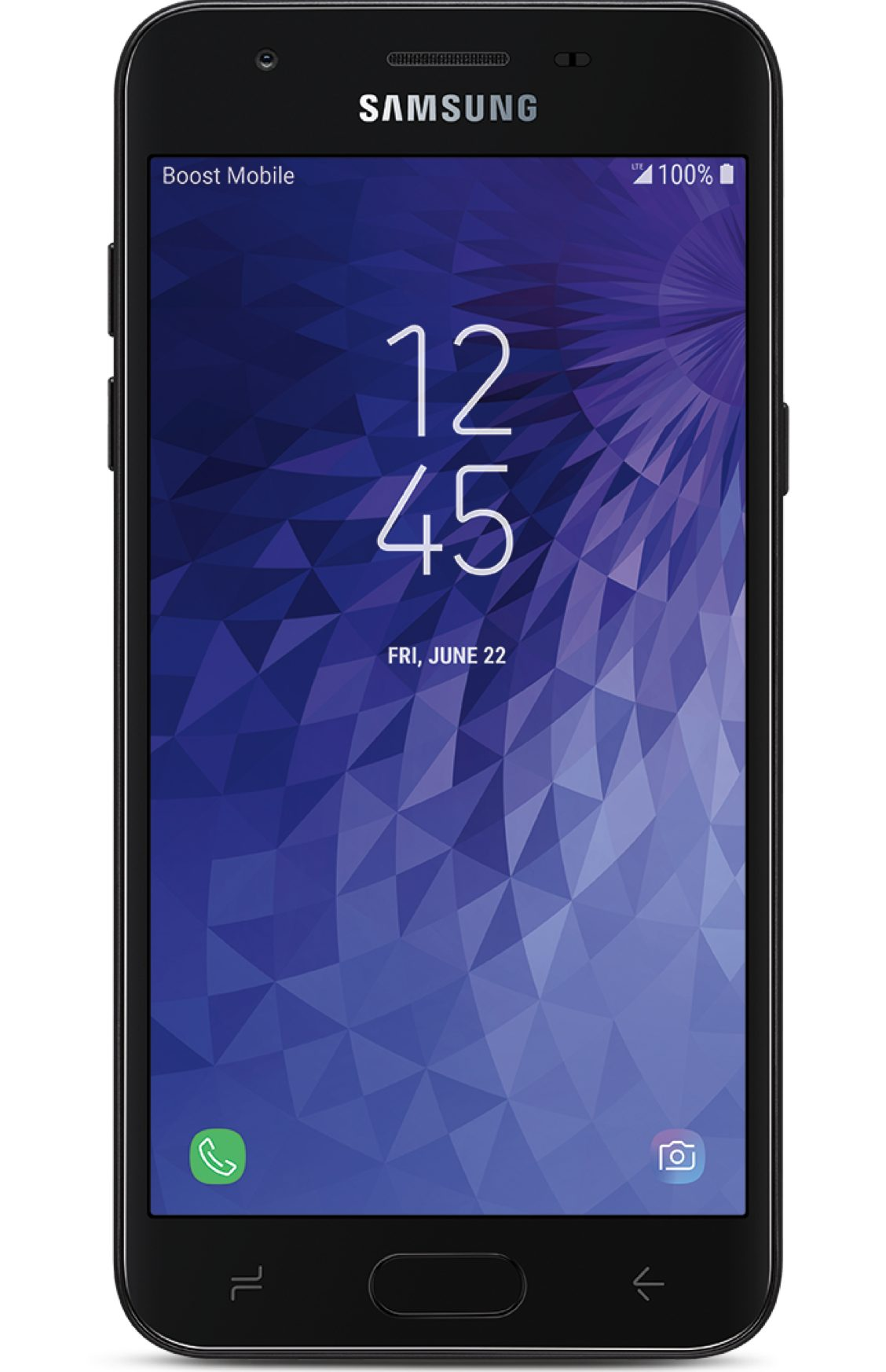
Earlier this month, Samsung announced the 2018 versions of its Galaxy J3 and J7 smartphones. No release date was given, with only "early June" being given as an estimate. It's very late in June now, but Verizon, Sprint, and Boost Mobile have launched their versions of the J3 and J7.

Galaxy J3

As you might be able to tell, the J3 is the lower-end model of the two. Here are the specs:

Specs

Display 5.0" 720p TFT
RAM 2GB
Storage 16GB
Camera 8MP rear, 5MP front
Battery 2,600mAh
Software Android 8.0 Oreo

The specs obviously aren't the greatest, with the only noteworthy item at all being the Exynos 7884A chipset, which is likely an underclocked version of the Exynos 7884.

Read More

2018 Galaxy J3 and J7 now available on Verizon, Sprint, and Boost Mobile was written by the awesome team at Android Police.


from Android Police – Android news, reviews, apps, games, phones, tablets https://ift.tt/2MC5cHf
via IFTTT

DirecTV Now to increase its prices on all its plans

Get ready to pay more on all of DirecTV Now's plans, folks.

From our friends at CordCutters.com: DirecTV Now is increasing each of its its plans by $5 a month, starting in August — if not a few days sooner. That's according to marketing emails sent out to customers late Saturday evening. (You know, when people are expecting to learn about price increases.)

This is the first price increase since AT&T merged with Time Warner. Surely, a coincidence.

From CordCutters:

This is coming from AT&T/DirecTV Now marketing and not PR, so that's all we've got for now. But the email we received does mention that we can now add a third simultaneous stream for another $5 a month, and it mentions the new Spanish-language plans DirecTV Now rolled out earlier in June.

Also, we can expect to see in future releases: An option for 100 hours of cloud-based DVR. (Currently 20 hours is free); Parental controls; "More ways to stream on your favorite devices"; And more local channels.

DirecTV Now is available on Apple TV, Roku, in web browsers, and through Chromecast. (There's still no official Android TV app.)

Get the full lowdown at CordCutters.com


from Android Central - Android Forums, News, Reviews, Help and Android Wallpapers https://ift.tt/2KAlZg8
via IFTTT

Think you could be the next Tiesto? Learn how to be A DJ

DJ courseWe thought you might like something a bit different today readers, so we've found a superb offer on an all-encompassing DJ course. If you're looking for a new calling, or just want to know what the fuss is about, this week you can get this professionally-led tuition for just $29.

Music has the power to inspire. To an amateur it can look like DJing is just starting a playlist on your laptop, but in reality it's an artform. Learning to DJ can be fun and rewarding. Not everyone will go on to be the next Avicii or Skrillex, but at the very least you'll get an impressive new talent.

'DJs are the new rock stars' - Tiesto

This in-depth video guide is led by veteran DJ and music producer David Pezza. David has 15 years experience in the industry, playing numerous top club locations and doing remix work for major record companies world-wide. His expertise are world-class, and he loves to teach in a fun and simple style.

This instructional DJ course doesn't just stop at how to produce top music either. It covers all aspects of DJing, including how to play to an audience, and even how to get paid.

The DJ course at a glance:

  • Learn the history of DJing.
  • Explore the gear, mixers, and other tools a DJ needs.
  • Discuss the basics of beat matching, looping techniques, using effects, and more.
  • Get an introduction to scratching and advanced techniques.
  • Understand sound & lighting setups, and how to play to an audience.
  • Learn how to make money as a DJ.

This course usually retails for $399, but for the next few days at Tech Deals you can get access for one year at a cost of only $29. To be fair, it doesn't sound like Mr Pezza needs the money.

Time for an exciting new venture? Hit the button below to check out the offer.

The AAPicks team writes about things we think you'll like, and we may see a share of revenue from any purchases made through affiliate links. To see all our hottest deals, head over to the AAPICKS HUB.


Looking for a new phone or plan? Start here with the Android Authority Plan Tool:

This smart tool lets you filter plans by phone, price, data tiers, and regional availability. Stop overpaying for cell service you hate and a phone that you're tired of. Use our Compare Phones & Plans tool to fully customize your mobile experience and painlessly transition from one carrier to another!


from Android Authority https://ift.tt/2tZGU2f
via IFTTT