Saturday, September 1, 2018

Here's everything you can do with the PlayStation Aim controller!

This is your rifle. There are many like it, but this one is yours.

The PlayStation Aim controller was built to bring a new layer of immersion to PlayStation VR. Games that require you to shoot something are that much more immersive when you feel like a real gun is in your hands. It's got all the functionality of a DualShock controller, but in an entirely new format.

When you first pick up the Aim controller, it does feel like the controller equivalent of a rifle. It's light enough that the weight doesn't make holding it for extended periods of time a drag, but it's also hefty enough that you won't wear out immediately. Furthermore, it is armed with a trigger mechanism, two analog sticks, and buttons all over the place.

This controller was built for games like Farpoint on PlayStation VR, adding serious degrees of immersion when you are shooting things in VR. It operates like a Move controller, with far more functionality than a normal move controller. The most comfortable way of using it involves using both hands to figure out where everything is and find what you need by touch.

An essential accessory

PlayStation Aim Controller

PlayStation Aim is here to revolutionize the way you play your shooting games in VR. To add to your VR experience and really get the full extent of your games, you can find this beauty for $59.75.

$60 at Amazon.

Buttons

The buttons on the PlayStation Aim controller are really what gives it the type of functionality that it has. There are L1, L2, R1, R2, Options, Share, and more built directly into the controller. Unlike a normal move controller, you have far more access to everything that you can do with a normal controller. In fact, when navigating the PlayStation menu, you'll use those buttons and analog sticks to select the app or game you want to play. Yes, that means that these controllers are used for the entirety of the PlayStation and not just gameplay for the games they're compatible with.

The Aim controller will even allow you to share screenshots or videos while shooting things in VR with the push of a button, as well as being able to jump completely out of a game and back to the home screen.

Where can I use it?

At release, the PlayStation Aim controller was only compatible with one game, Farpoint. While the selection started off small, more games have been added, making it more immersive than ever to play a shooter in VR.

While you can try to use it in unsupported games, it really does not work out particularly well. Trying to use it like a two-handed move controller feels particularly unwieldy and doesn't link up well, and trying to use it like a controller is difficult in the same way. It's very obvious that the games with Aim support have put thought into ensuring that the controls sync up with the controller in your hand well.

And no, this game doesn't work with Killing Floor Incursion. I've tried. Yes, I'm just as sad as you are.

Where do I buy an Aim controller?

The PlayStation Aim controller first hit the market on May 16th, 2017, and initially, finding one was a bit difficult. Thankfully that issue has been solved, and you can pick it up separately for about $60. There are even plenty of bundles available as well. This means you can order your controller offline, or head up to the store and pick one up in person. You should be able to find them at places like Best Buy, Target, Walmart, and of course GameStop if you prefer buying in person.

An essential bundle

PlayStation VR, Aim controller with Skyrim VR, Bravo Team, and Farpoint bundle

If looking at this Aim Controller is the first that you've heard of PlayStation VR, and you find yourself getting hooked, this bundle is the one for you. Not only do you get everything you'll need to play the PlayStation VR, but you also get two games you can play with the Aim controller and your own copy of Skyrim VR! Find it on Amazon for $184.99!

$185 at Amazon.

Which games are you most excited about?

While I wish that Killing Floor Incursion had compatibility for the PlayStation Aim to work, I'm sure there are plenty more out there we all wish we could see. Which games do you hope have Aim support when they release, and which games that already have the support are your favorite? Tell me about it in the comment section below, or shoot me a Tweet at @OriginalSluggo.

Update August 2018: We've updated this article formatting and included two new games with PlayStation Aim compatibility: Evasion, and Unearthing Mars 2!


from Android Central - Android Forums, News, Reviews, Help and Android Wallpapers https://ift.tt/2MKe162
via IFTTT

11 new and notable Android apps and live wallpapers from the last week including Rootless Launcher, POCO Launcher, and Nova Video Player (8/25/18 - 9/1/18)

roundup_icon_largeWelcome to the roundup of the best new Android applications and live wallpapers that went live in the Play Store or were spotted by us in the previous week or so. This week I have the official Play Store listing of Rootless Launcher, but that's not it for launchers, as I also have the POCO Launcher from Xiaomi that can even run on non-Xiaomi devices. You can also expect to find a fresh new video player called Nova Video Player that is both open-source and completely free to use.

Read More

11 new and notable Android apps and live wallpapers from the last week including Rootless Launcher, POCO Launcher, and Nova Video Player (8/25/18 - 9/1/18) was written by the awesome team at Android Police.


from Android Police – Android news, reviews, apps, games, phones, tablets https://ift.tt/2LNyz8r
via IFTTT

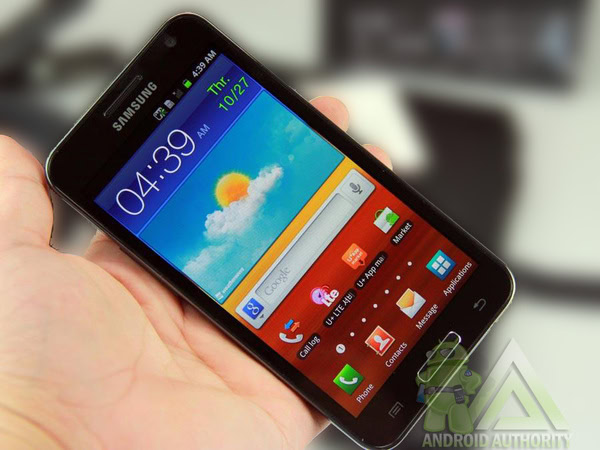
The Samsung Galaxy Note was announced seven years ago, it’s still the most influential Android phone

Galaxy Note influential

A great phone, but probably too big. That was pretty much what the press thought when Samsung unveiled the Galaxy Note at IFA Berlin in 2011. The phone had all the tech you could want, but there was real concern people wouldn't want to walk down the street talking into such a large phone.

How wrong we were.

Many were happy to use a larger device, and the way smartphones have developed since suggests they actually preferred it. As well as selling a ton of units, the Galaxy Note completely changed the smartphone landscape.

The Galaxy Note isn't the only influential Android smartphone, but it may be the most influential one. It's the only one to almost single-handedly usher in a new product category — one all the main manufacturers, including Apple, would soon be clamoring to release products in.

See also: Best phablets of 2018: Which ones made our list?

What was the Galaxy Note up against?

Back in 2011, the smartphone market was growing fast and plenty of excellent phones launched. The iPhone 4S with its 3.5-inch display was a huge hit, as was Samsung's main flagship, the 4.3-inch Galaxy S2. Other competitors included the Motorola Droid Bionic with its 4.3-inch display and the HTC Evo 4G with a 4.3-inch display.

Samsung Galaxy S2

Samsung released the Galaxy S2 just months before the Galaxy Note.

None of these smartphones were like the Samsung Galaxy Note. They could compete with its specs, but the Note's display was simply on another level. This was a gamble for Samsung. It's easy to look back at the reaction to the phone and mock those who said it wouldn't be a success, but at the time you'd definitely get a few funny looks using a Galaxy Note in public.

Not the first phablet

The Galaxy Note was not the first phablet, and the fate of the Galaxy Note's predecessors showed its success was by no means guaranteed.

The HTC Advantage was arguably the first phablet — a Windows Mobile smartphone with a 5-inch screen. While the screen was big, technology hadn't advanced enough to make the phone small enough to be particularly portable — it weighed almost a pound — and the trend didn't catch on. The Dell Streak was launched around a year before the Note but a poor user experience held it back.

These early phablets showed simply having a large screen was not enough to succeed. Samsung had to ensure the Galaxy Note provided a great user experience while staying small enough to be truly portable.

Samsung's Galaxy S series was already a huge success, proving the company could produce excellent high-end phones. It simply needed to transfer this knowledge to a device with a bigger screen.

Samsung Galaxy Note: A reminder

The Samsung Galaxy Note's specs were equal to or better than most of the competition. It came with a 1.4GHz dual-core processor, an 8MP rear camera, 2MP megapixel front camera, 1GB RAM, and 16GB or 32GB of storage. As well as being big, the screen used Samsung's Super AMOLED HD technology with a 1,280 x 800 resolution, making it arguably the best display on the market at the time.

At less than one centimeter thick and only 178 grams, it was also surprisingly portable. The Note had a sleek design similar to the Galaxy S2, so it was familiar to consumers, too.

Related: What we thought of the Galaxy Note back in 2011

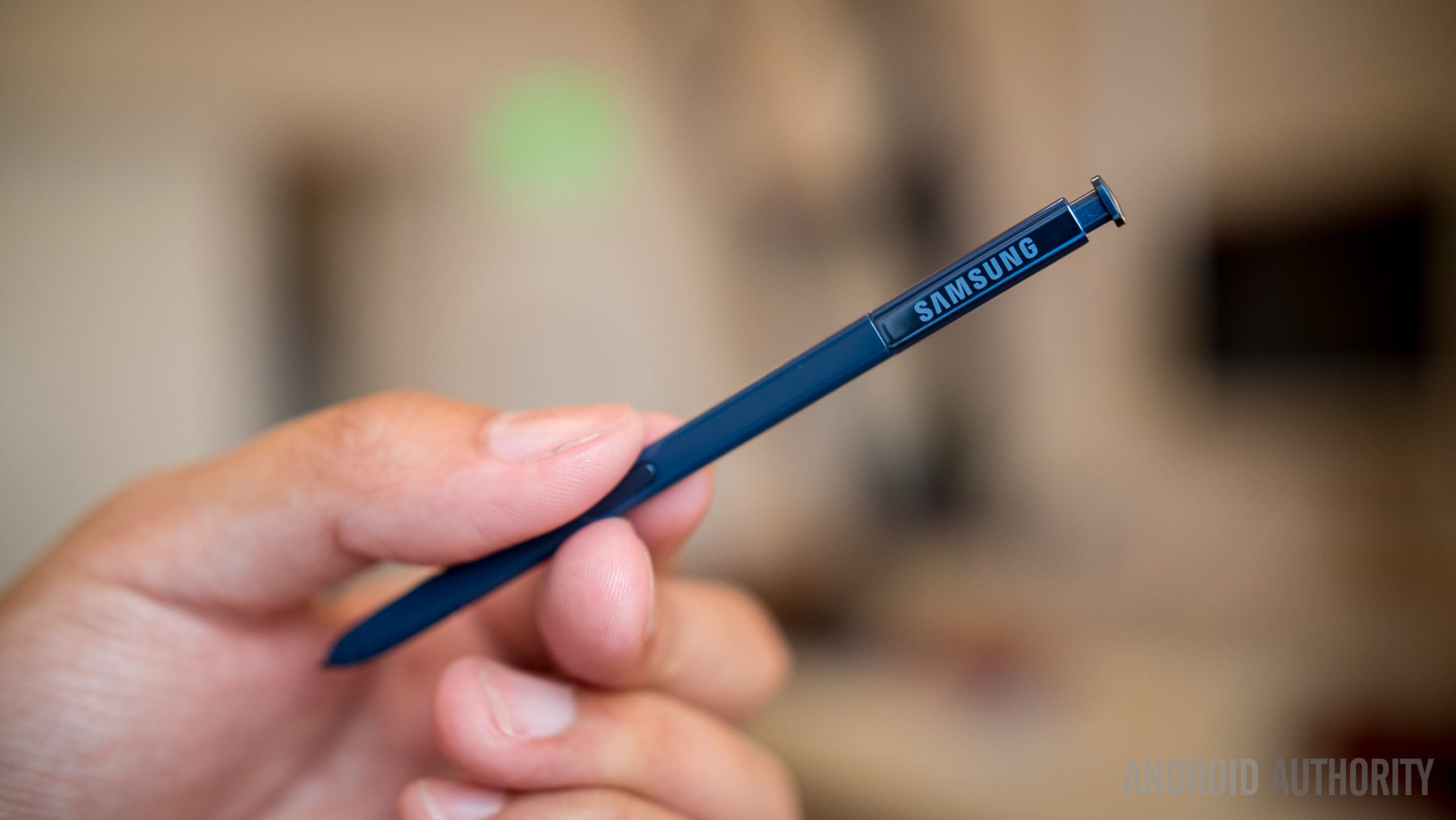
The phone's other trick was its stylus. At the time, Steve Jobs had made styluses probably the most unfashionable accessory in tech after repeatedly questioning their necessity.

Despite this, in commercials for the Galaxy Note, Samsung placed the S-Pen front and center. Samsung clearly thought the included stylus could help differentiate the device and position it as more productive than the competition.

Also read

Samsung put a lot of effort into making the S-Pen more than a simple pointer. It could capture screenshots, perform gestures, and launch the phone's note-taking software. No matter what Steve Jobs said, these tasks were easier with the S-Pen than a finger.

Styluses never particularly took off on smartphones outside of the Note line, but they are in the midst of a slight renaissance on tablets and PCs with accessories like the Apple Pencil, the Surface Pen, and Samsung's larger S-Pen.

The Galaxy Note was a huge hit

While the Galaxy Note was a productivity powerhouse, it was also very appealing to regular users. The large, high-resolution screen meant browsing the web, looking at photos, and watching movies was a fantastic experience on the Note.

The phone recorded impressive sales. Samsung reportedly sold one million Note devices in the two months post-release. By August 2012, nine months after release, the company said it had sold 10 million units. After that, there was no way Samsung — or its competitors —  could ignore this new product category.

Aftermath

Editor's Pick

It didn't take long for other manufacturers to release phablets of their own. LG and Panasonic were among the first, and HTC followed soon after. Perhaps the biggest acknowledgment of how influential the Note had been came in 2014 when Apple announced its first ever phablet, the iPhone 6 Plus.

Nowadays you just have to look at the smartphone market to see the Note's influence. Pretty much all smartphone manufacturers make plus-sized flagships. Most regular flagships these days would have been considered phablets in 2011. The Galaxy S9's screen is 0.5-inch bigger than the the original Note. Even phones marketed as smaller, such as the Sony Xperia XZ2 Compact, would've been considered phablets back in 2011.

Huawei P20 Pro vs Note 8 vs LG V30 UI

With the Galaxy Note, Samsung had a product miles ahead of the competition. Ultimately, it changed the shape of the smartphone market in a way no other Android phone has done before or since.

Next up: Samsung Galaxy Note 9 review: In praise of incrementalism


from Android Authority https://ift.tt/2N96Zat
via IFTTT

Android Pie actually fixes a smartphone's biggest problem: battery life

Welcome to our new AI-powered battery saving overlords (please don't kill all humans).

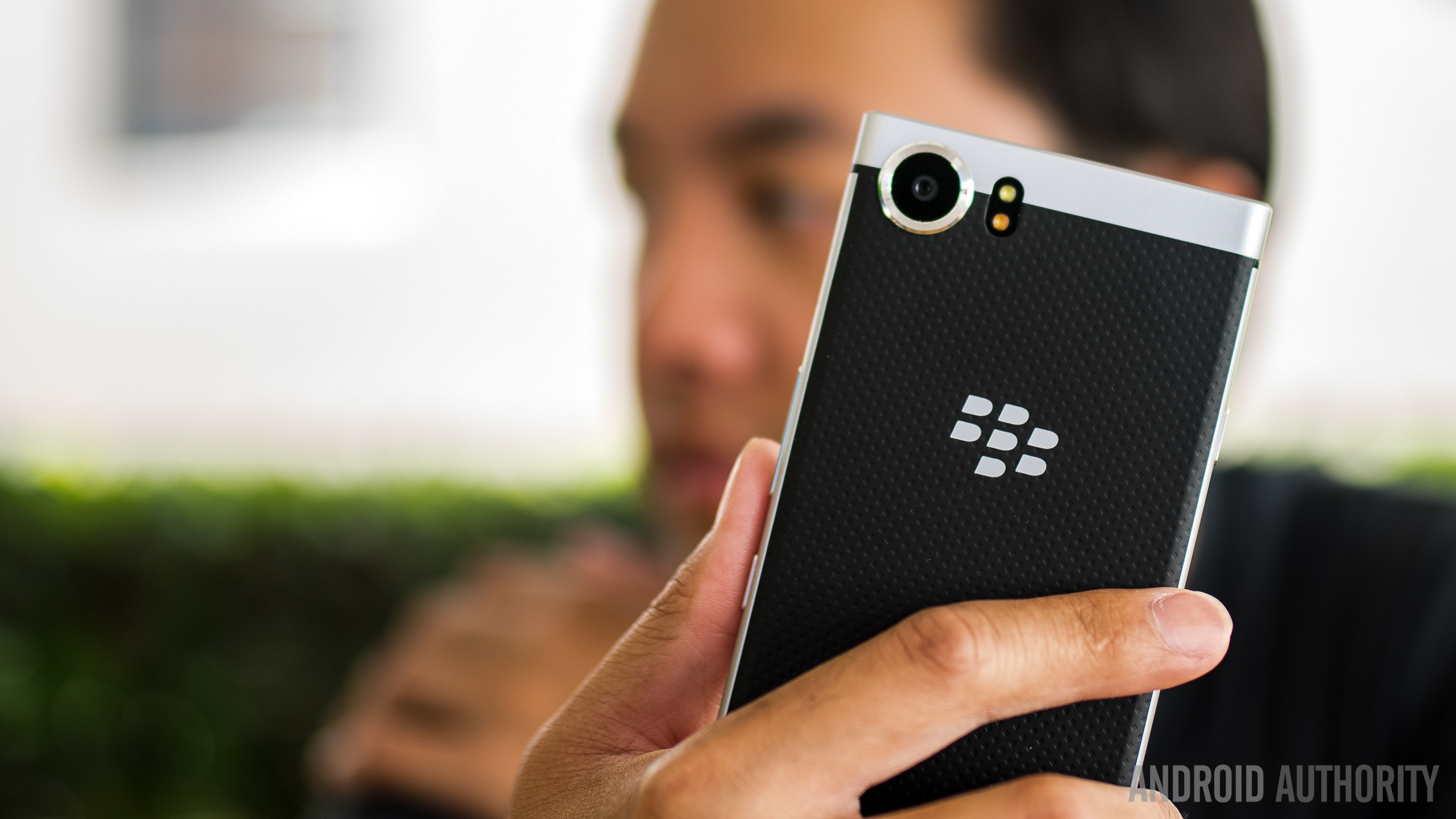
I carry around a BlackBerry KEY2 as my "daily driver" but my other phone — the one I use for work and do random things to and install random stuff — is a Pixel 2. The small Pixel. The best Pixel. Well, best in everything but battery life.

The smaller Pixel 2 has a 2,700 mAh battery compared to the bigger 3,520 mAh battery in the XL version. You can talk about pushing fewer pixels and how it uses less battery until you're blue in the face but the Pixel 2 has a small battery and doesn't last nearly as long as its bigger sibling or many other phones. In fact, it has struggled to make it through the day on occasion — and I'm not one of those people who can never put their phone down. But all that was in the pre-Pie days.

Android Pie wasn't the most flashy of updates, but it did one thing right. A very important thing.

Android Pie did some cool things with notifications and added in some half-baked gestures, but ultimately it looks a lot like Oreo. Which looked a lot like Nougat. There are folks who hate it all and wanted to see it burned to the ground and rebuilt into something different, but Pie wasn't the update for them. But it is the update for everyone else. And that's because it addresses the single most important thing about every smartphone in the world: battery life.

We always want the battery to last longer. You can buy specific phones with ginormous batteries or secret sauce that makes a battery last longer than it should — my KEY2 comes to mind there because BlackBerry isn't ever going to tell us why it gets double the battery life of most other phones its size. Maybe it's a Canadian military secret. Anyhoo, I was saying you can look for a phone that has a big honking battery if you want to, but most phones don't fit that mold and have smaller batteries and dedicated forums filled with people and ideas to make them last longer.

Pie changes all of that. Google is using its powerful and scary Artificial Intelligence to make the battery last longer. Google calls it Adaptive Battery, but I call it "hot damn, this is so much better". If I'm in a place with a strong signal and mind what I'm doing I can get almost three days from my Pixel 2 battery and that's with the screen on about 7 hours worth during that time. And you can cruise on over to Reddit and see folks that are getting even better numbers since the Pie update. That's downright amazing.

Android Pie's Adaptive Battery doubles the battery life on my Pixel 2. It's about damn time.

I admit I was skeptical when I first heard Google talking about machine learning that can predict your usage and get insane battery life, and there is a problem somewhere that makes your battery life suck if you don't have a great signal. Clearly, the tech isn't perfect. But it's better than I expected and that's always a plus. Android updates are always a mixed bag of good and bad and that one thing that really sucks, but I don't even care about any of it with Android Pie. Google got Adaptive Battery right, or at least almost right, on the first try.

More: Android Pie issue tracker: The biggest bugs and problems

I know that plenty of other people are seeing their phones crash and burn when it comes to the Pie update on their Pixel phones. It's one of the biggest complaints with every update and Pie was no exception. I have no idea why it is so good for some and so bad for others (I expect it's either app related or signal related) but I hope someone at Google can figure it out and whatever is done to fix it doesn't F up my battery life. And here's hoping Android Q can fix the nest worst thing in the world and my phone can finally mow my lawn.

Happy holidays, y'all. Stay out of trouble!


from Android Central - Android Forums, News, Reviews, Help and Android Wallpapers https://ift.tt/2LN2tJV
via IFTTT

Tip: If you can't video call your contacts on Duo via Assistant (or Smart Displays), try saving their numbers as '+ country code'

A few weeks ago, the Google Duo team rolled out the option to place a video call through Assistant. All you had to say was "Ok Google, video call contact_name" and Duo would open up and make the call to that person. However, at the time, I thought the feature wasn't live for me. Assistant would tell me it's calling the correct person, Duo would open, but it would stay on the main screen, not placing the call.

Read More

Tip: If you can't video call your contacts on Duo via Assistant (or Smart Displays), try saving their numbers as '+ country code' was written by the awesome team at Android Police.


from Android Police – Android news, reviews, apps, games, phones, tablets https://ift.tt/2Q0CnGW
via IFTTT

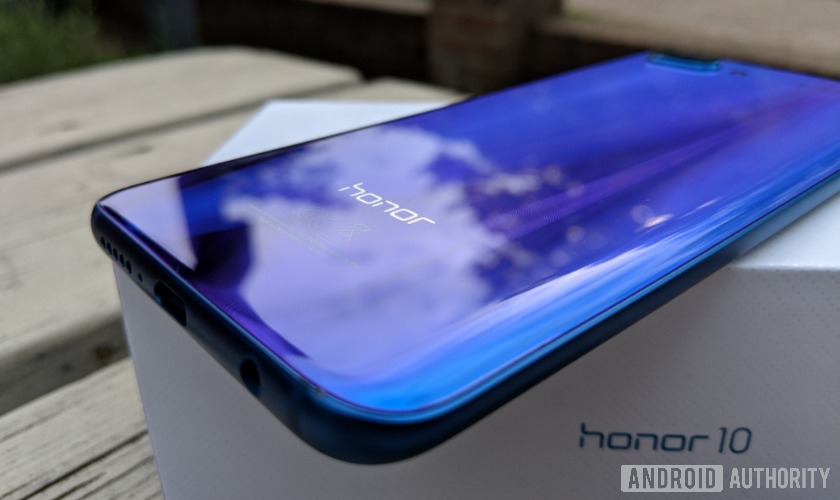
UK Deals of the Week: 35% off Google Home Mini, Honor 10 for £319

buy Google Home Mini deals

Welcome to your weekly round-up of the best U.K. deals of the week for Android phones, network plans, accessories, smart home tech, and a little of whatever else is on offer in the world of mobile!

Editor's Pick

This week's deals include 35 percent off the Google Home Mini, a big saving on the Honor 10, an irresistibly huge discount on (deep breath) the iPhone SE, and much more.

""Amazon Prime Day 2018: Deals, dates, and everything else you should know

Below are the most enticing deals we've seen this week hand-picked with a little help from the folks over at HotUKDeals – the U.K.'s biggest deal-sharing community.

Phones

Honor 10 (SIM Free, 128GB) – £319 (was £369) @ Mobiles.co.uk

iPhone SE (SIM Free, 32GB) – £199 (was £349) @ giffgaff

Nokia 8 (SIM Free, 64GB) – £259 (was £299) @ AO

Motorola Moto X4 (SIM Free, 32GB) – £199 (was £349) @ Amazon (Buyur)

Accessories

RAVPower 40W 8A 4-Port USB Charger – £8.99 w/ Prime @ Amazon (Sunvalleytek)

SanDisk Ultra 64GB microSDXC Memory Card – £13.99 (was £17.99) @ Base

Philips SHB4405 Wireless Headphones – £9.99 (was £28.95) @ Carphone Warehouse

Tech

Google Home Mini – £32 (was £49) w/code EXTRA5 @ AO

TP-Link Wi-Fi Smart Plug – £9.99 (was £29.99) w/code ALEXATPLINK @ Amazon

Eufy Wi-Fi Smart Bulb – £6.99 (was £19.99) w/code ALEXAEUFY @ Amazon

Ring Video Doorbell – £71 (was £89) w/code HOME20 @ Argos

More UK content:

Have you seen any amazing deals this week? Be sure to share your finds in the comments.


from Android Authority https://ift.tt/2PoaNCo
via IFTTT

Pop quiz: How much do you really know about Android?


This week, we invite you to test your Android-related knowledge. The quiz below contains 10 multiple-choice questions ranging from easy to hard.

Think you have what it takes? Find out by pressing the Start Quiz button below. When you're done, make sure to share your result on social media.


This is the sixth quiz in our regular weekly series. You can take the other five via the links below:

Let us know which questions you thought were the hardest and share your result with others in the comment section.


from Android Authority https://ift.tt/2C6lW8P
via IFTTT